
Flexify adds sale_price to a country override when Shopify provides a compare-at price for that product variant in that country.
When a valid compare-at price is available:
pricecontains the compare-at pricesale_pricecontains the current selling price
If Shopify does not provide a country-specific compare-at price, Flexify sends the current price without sale_price.
Check the product's compare-at price #
If sale_price is missing for a particular country, first make sure the affected variant has a compare-at price that is higher than its current selling price.
Then check whether Shopify provides that compare-at price for the affected market.
Check the Shopify Market settings #
In Shopify admin:
- Go to Markets.
- Select the market containing the affected country.
- Open More settings.
- Find Compare-at price.
- Check whether Hide compare-at is enabled.
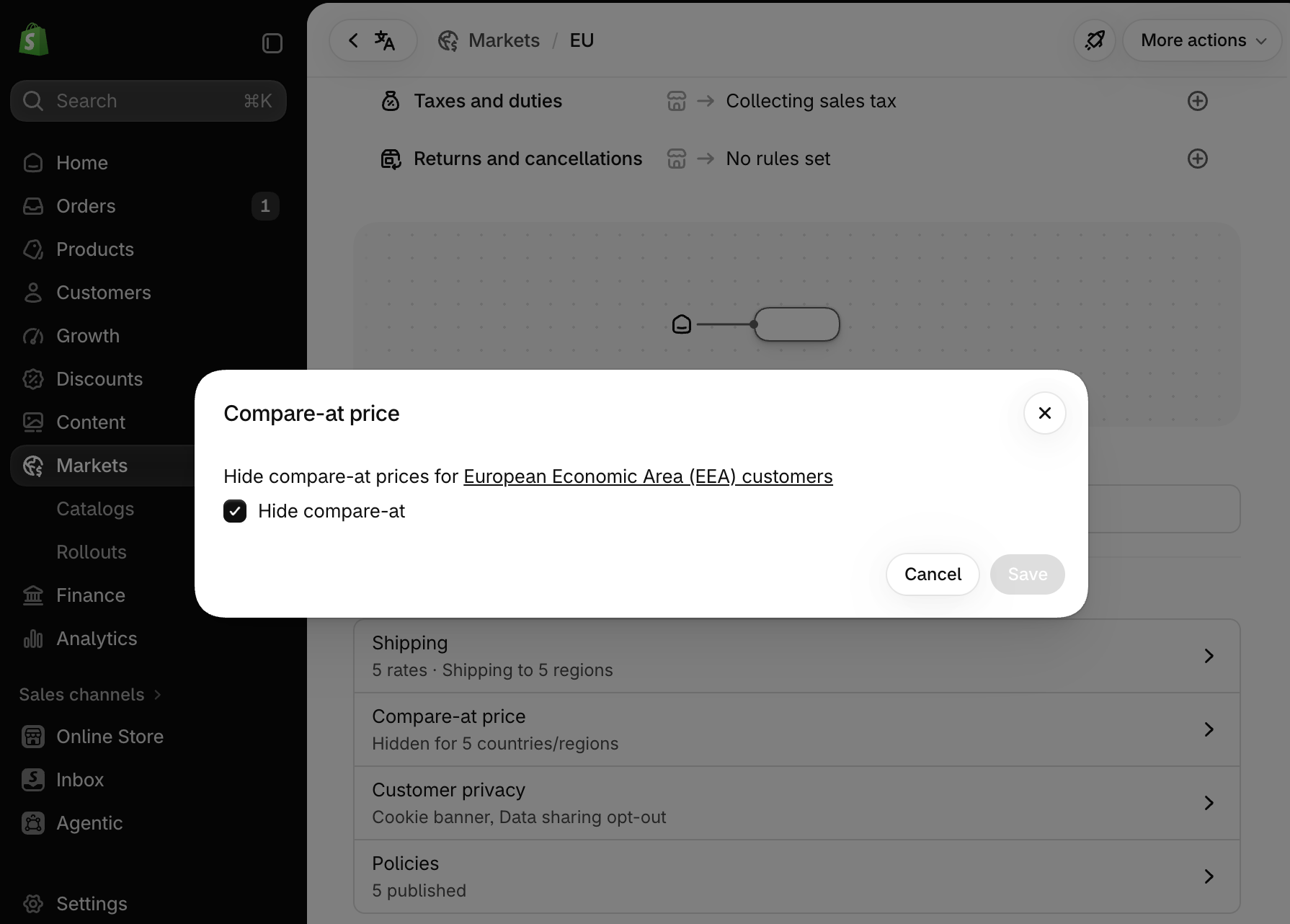
Shopify can hide compare-at prices for EEA markets. If Hide compare-at is enabled, this may explain why Flexify does not receive a compare-at price for those countries and therefore does not include sale_price in the corresponding country overrides.
Before changing this setting, review Shopify's guidance on EEA price reductions.
After changing the setting #
After making changes in Shopify:
- Regenerate your feeds from the Flexify Overview page.
- Open the updated Market feed URL and check an affected country override.
- Confirm that both
priceandsale_priceare present in the expected currency.
If Shopify provides the country-specific compare-at price, Flexify can use it to generate the corresponding sale-price information in the Market feed.