
In Stories and Reels, your creative fills the entire phone screen – and your profile name, the Sponsored label, caption, engagement icons, and call-to-action button all sit directly on top of it. If your template places a price, logo, or text in one of those areas, your customers may never see it.
How it works #
In the template editor’s preview pane, click the safe zone button to toggle the overlay. The striped areas mark where Meta’s interface may appear on top of your ad – everything inside the unstriped area stays visible in every placement.
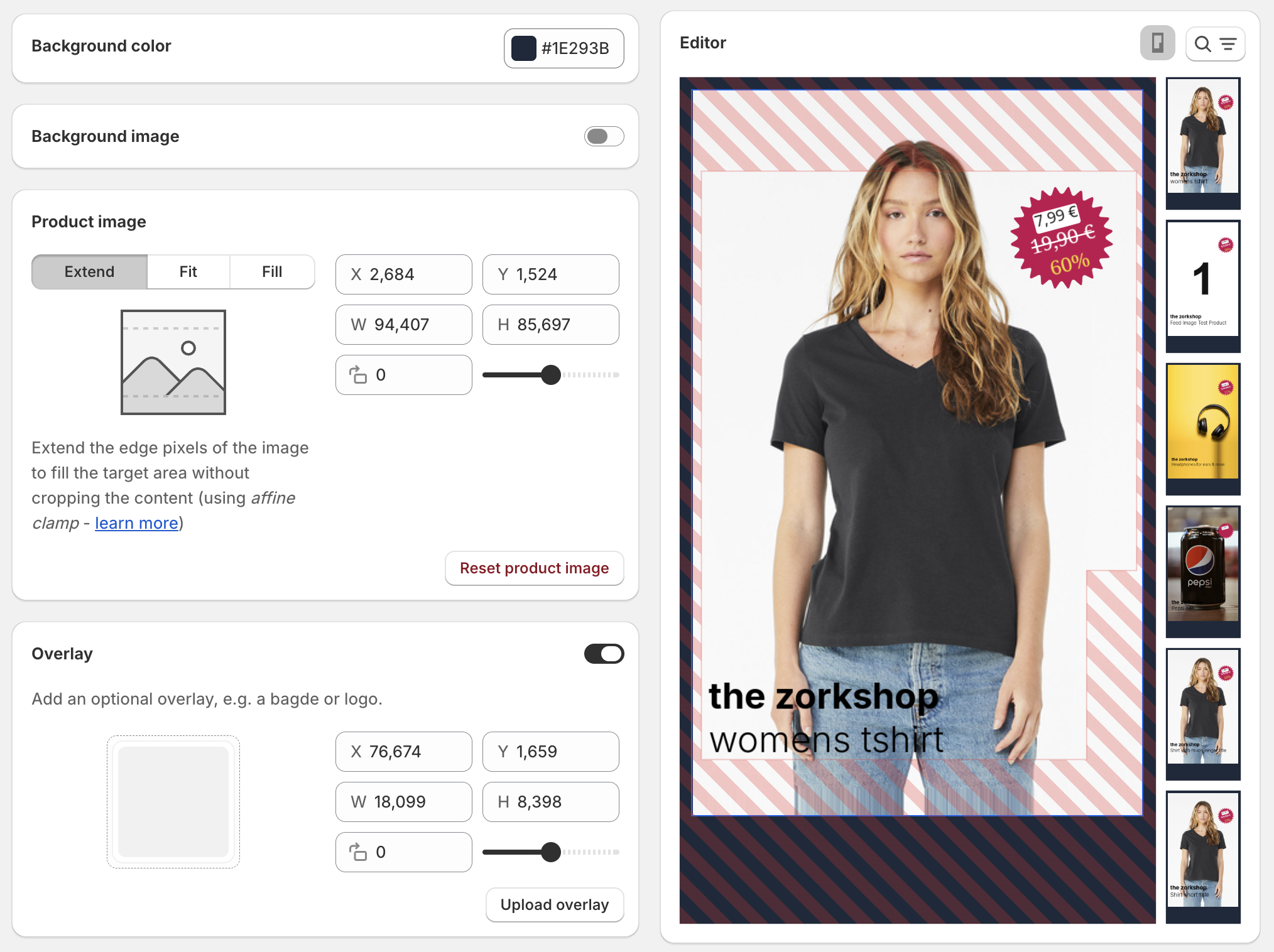
The overlay is a design aid only. It appears in the editor’s preview, but it is never part of the generated images – enabling it does not add the mask to your ads.
What Meta places on top of your ad #
Stories & Reels (9:16) #
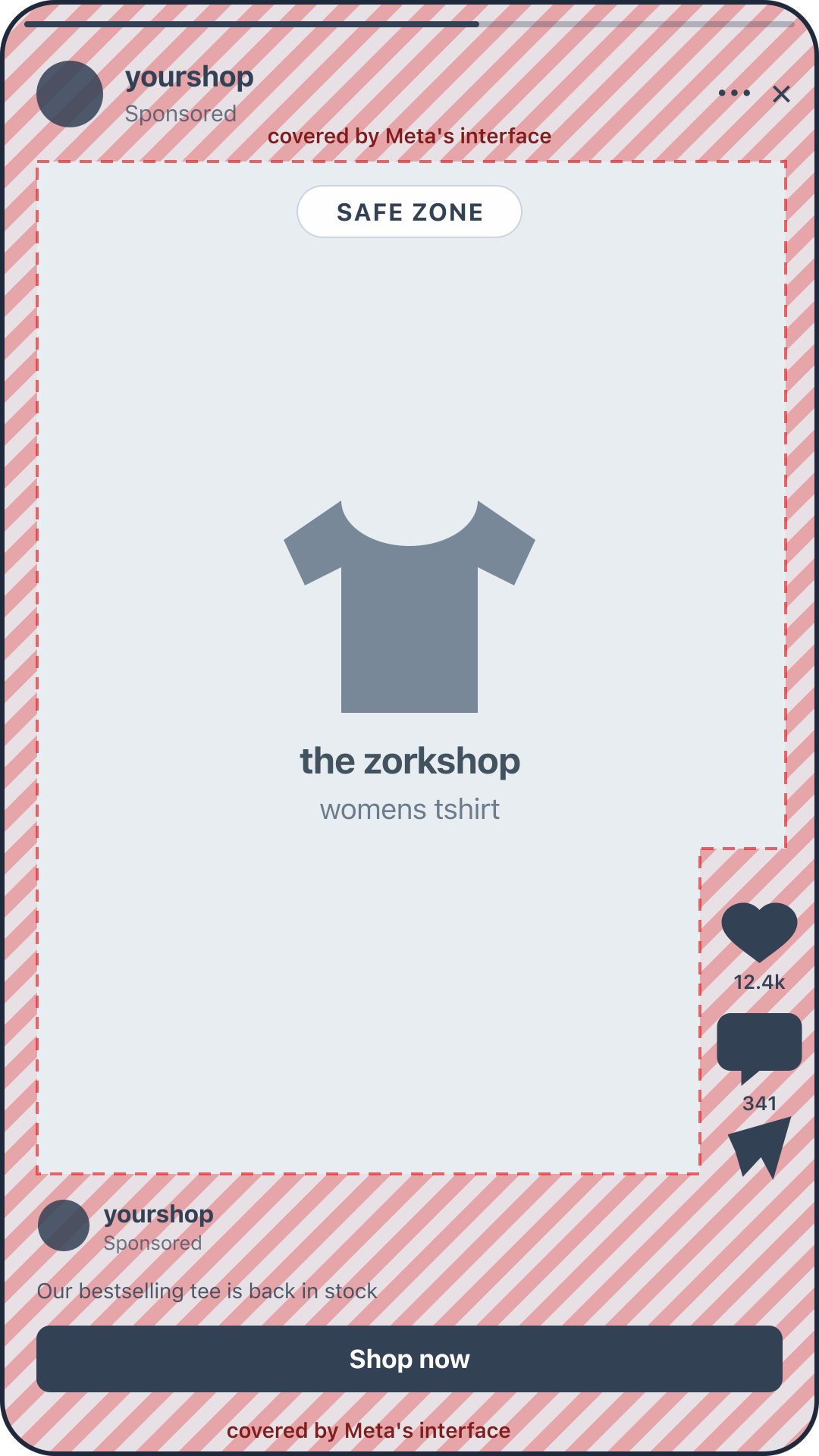
In Stories, Meta covers the top of your creative with your profile picture, shop name, and the Sponsored label, and the bottom with the call-to-action button. Reels add more: engagement icons along the right edge and a caption above the call to action.
Stories and Reels cover different areas, but Flexify shows a single combined 9:16 safe zone that accounts for both. If your design fits inside it, it works for either placement – you don’t need separate templates.
Feed formats (1:1 and 4:5) #
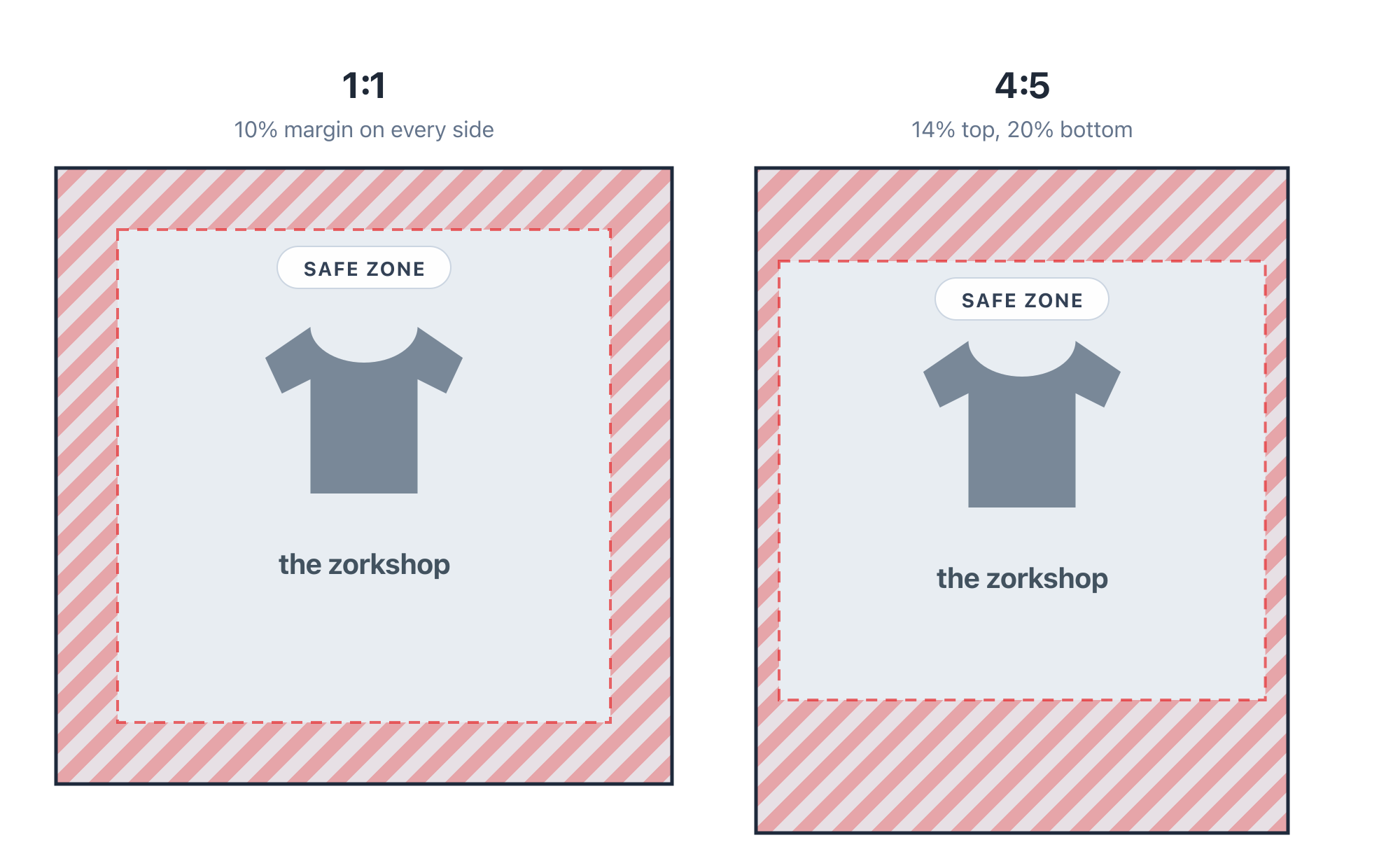
Feed placements are gentler, but they have safe zones too: keep a roughly 10% margin on every side of a square design, and stay clear of the top and bottom bands in 4:5.
How to use it #
- Open your template in the editor and click the safe zone button to enable the overlay.
- Move prices, badges, logos, and text inside the safe area. Elements touching the striped zones risk being covered on real devices.
- The overlay adapts to the selected aspect ratio – check every format you use, especially 9:16, where safe zones matter most.
Keep in mind:
- The safe zones are approximate – Meta’s interface varies slightly between devices and app versions.
- Your product image can extend into the striped areas; just keep essential information (prices, discounts, brand marks, text) inside the safe area.
- For more details, see Meta’s guidance on text overlays and safe zones for ads in Stories and Reels.